What Git Is and What Online Git Platforms Offer
Git is a distributed version control system created by Linus Torvalds in 2005. This guide covers snapshots, branches, core commands, and a comparison of GitHub, GitLab, Bitbucket, Gitea, Forgejo, Codeberg, Azure Repos and the current status of AWS CodeCommit.
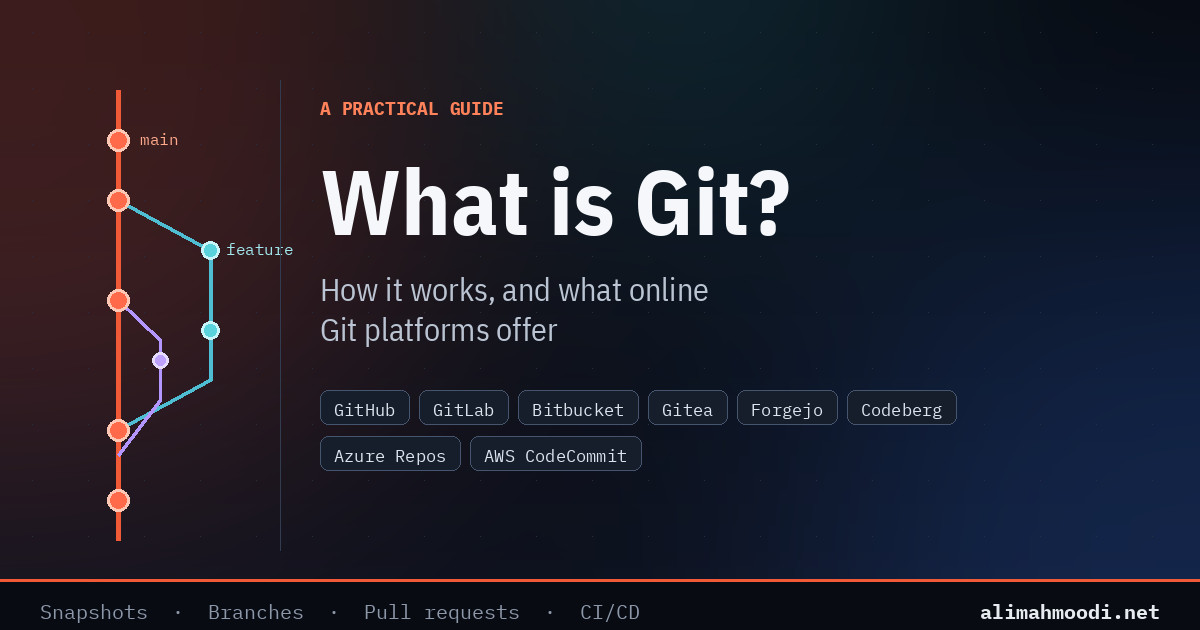
If you write software, Git is almost certainly part of your day, even when you mostly click buttons in an editor. Git is a free, open-source distributed version control system: a tool for recording the history of a project’s files, trying changes in isolation, and combining work from more than one person. It runs on your own computer. Sites such as GitHub, GitLab and Bitbucket host Git repositories and add review, issues and automation; they do not replace Git itself.
This article explains what Git is, why it was created in 2005, how its snapshot model differs from older centralized systems such as Subversion (SVN), and how everyday pieces — commits, hashes, the staging area, branches, merge and rebase, and remotes — fit together. It then walks through core commands with short examples, a typical team workflow, and the main online Git platforms, with a comparison table and practical advice on choosing one. Feature and pricing details were checked against official documentation as of 22 November 2026 and can change; always confirm current limits on the vendor’s site.
A short history
As the official Pro Git book recounts, Linux kernel development from 1991 to 2002 circulated as patches and archive files. In 2002 the project adopted BitKeeper, a proprietary distributed version control system that was free of charge for that use. In 2005 the relationship between the kernel community and BitKeeper’s vendor broke down, and the free-of-charge status was revoked.
That prompted Linus Torvalds, the creator of Linux, and the kernel community to build their own tool, taking lessons from BitKeeper while remaining open source. The stated goals included speed, a simple design, strong support for non-linear development (thousands of parallel branches), a fully distributed model, and the ability to handle a project the size of the Linux kernel efficiently.
On 6 April 2005 Torvalds wrote to the Linux kernel mailing list that he would stop using BitKeeper and look at alternatives. Development of Git started at once. In a 2025 conversation published by GitHub for Git’s twentieth anniversary, Torvalds said the first commit was made on 7 April 2005, and that within about ten days the tool was usable for kernel work. The kernel’s Git history notes that Linux 2.6.12 was managed with Git on 16 June 2005. In the years since, Git has become the default version-control tool for open-source and commercial software alike.
Distributed versus centralized version control
Older centralized systems such as CVS and Subversion (SVN) keep the authoritative history on one server. Developers check out a working copy, and commits generally go to that server. If the server is down or you are offline, you can edit files, but you typically cannot record commits in the shared history. Who is allowed to write to the central repository also becomes a practical bottleneck.
Git is distributed. When you clone a repository, you get a full copy of the project history, not just the latest files. Most operations — viewing logs, creating commits, making branches — run locally and do not need the network. You can work on a laptop without connectivity and synchronize later. A team may still treat one remote as the official copy, but that is a social convention, not a technical requirement. Several remotes can coexist: origin, a personal fork, and a company mirror, for example.
The official Git book stresses two related ideas: nearly every operation is local, and Git stores data as snapshots of the whole project rather than as a list of per-file deltas.
How Git works
Snapshots, commits and hashes
Each commit is a snapshot. Git records what every tracked file looks like at that moment. Unchanged files are not stored twice; Git reuses a pointer to the previous identical content. A commit also stores metadata: author, date, a message, and the parent commit (or parents, in a merge). The history is a directed graph of these snapshots.
Everything Git stores is checksummed and then referred to by that checksum. The identifier you see on a commit is a cryptographic hash of its contents. Pro Git describes the classic form as a SHA-1 hash: a 40-character hexadecimal string such as 24b9da6552252987aa493b52f8696cd6d3b00373. Newer Git versions also support SHA-256 identifiers; most repositories you will encounter still use SHA-1. Because the hash covers the content, silent corruption or an unnoticed rewrite of a committed object is detectable.
The three states and the staging area
Files live in one of three states. Modified means you changed the file in your working tree but have not staged it. Staged means you have marked that version to go into the next commit; the staging area is also called the index. Committed means the data is stored in the local Git database, inside the .git directory.
The usual loop is: edit in the working tree, use git add to stage a precise set of changes, then git commit to record a snapshot. The staging area is what lets you commit only part of a dirty working tree — for example one bug fix, while leaving an unrelated experiment unstaged.
Branches, merge and rebase
A branch is a lightweight, movable pointer to a commit. Creating a branch is cheap, which is why short-lived feature branches are normal. The default branch is often named main (older repositories may still use master).
Merging joins the histories of two branches and, when they have diverged, creates a merge commit with two parents. Rebasing replays your commits on top of another branch and produces a straighter history, but it rewrites commit hashes. Rebasing a branch that other people have already based work on is disruptive. A common rule is to rebase your local, unpublished work if you prefer a linear history, and to merge — often through a pull request or merge request — when collaborating on a shared branch.
Remotes
A remote is a named pointer to another copy of the repository, usually origin. git fetch downloads new commits without changing your working tree. git pull fetches and then integrates those commits, by merge or, if you configure it, by rebase. git push sends your commits to the remote. Hosting platforms add access control, web review and automation on top of these same Git operations.
Core Git commands
The snippets below are short, everyday examples, not a complete reference. Run git help <command> or read the Git documentation for options and edge cases. Set your name and email once before the first commit (git config --global user.name and user.email).
# Start a new repository in the current folder
git init

# Or copy an existing repository, including its history
git clone https://github.com/example/project.git

# See the working tree and the staging area
git status

# Stage one file, or all changes
git add README.md
git add .

# Record a snapshot of what is staged
git commit -m "Describe the change clearly"

# Browse history
git log --oneline

# List branches; create one; switch to it
git branch
git branch feature/login
git switch feature/login
# Older equivalent of the last two lines:
# git checkout -b feature/login

# Merge that branch into the branch you are on (often main)
git merge feature/login

# See remotes; fetch and integrate; publish a branch
git remote -v
git pull origin main
git push -u origin feature/login

# Set aside unfinished work, then bring it back
git stash
git stash pop
A .gitignore file lists paths that Git should not track. Put it at the root of the repository and commit it so the whole team shares the same rules:
__pycache__/
*.pyc
.env
node_modules/
dist/
.DS_Store
Ignore secrets, build artifacts and environment-specific files. If a file was already committed, adding it to .gitignore does not remove it from history by itself; you must stop tracking it separately, and secrets that already landed in Git should be rotated.
A typical workflow
Most teams follow a variation of this loop. Clone the repository, or add a remote if you started locally with git init. Update your local main with git pull. Create a short-lived branch for one task. Edit, run tests, then git add and git commit in small, reviewable steps. Push the branch and open a pull request or merge request on the hosting platform. Colleagues review the diff; continuous integration runs tests and linters. After approval, merge into main, delete the feature branch, and pull the updated main on your machine. If you need to switch tasks mid-work, git stash (or a second worktree) keeps the unfinished changes out of the way.
The host’s review page is not a second version-control system. The source of truth remains the Git commits. The platform adds discussion, required reviewers, status checks and permissions on top of push and merge.
Online Git hosting platforms
You can host a Git remote on any server you control. Online platforms add a web interface and, in most cases, some combination of pull or merge requests, code review, issue tracking, CI/CD, package registries, static-site hosting, security scanning and AI assistants. The summaries below reflect official documentation and pricing pages checked on 22 November 2026.
GitHub
GitHub, owned by Microsoft, is the largest public code-collaboration network. It offers unlimited public and private repositories, pull requests, Issues and Projects, a package registry, and GitHub Pages. On GitHub Free, Pages is documented for public repositories; publishing a Pages site privately requires an organization on GitHub Enterprise Cloud. Dependabot alerts are included on Free; GitHub Advanced Security products (Code Security and Secret Protection) are sold as add-ons starting on the Team plan. Secret scanning is available on public repositories.
CI/CD is GitHub Actions. Official billing docs express the monthly allowance as included compute usage: $12 USD on GitHub Free (personal and organization) and $18 USD on Pro and Team. At the published $0.006 per minute rate for a standard 2-core Linux runner, $12 corresponds to about 2,000 minutes, which is also the figure still shown on the public pricing page. Standard hosted runners on public repositories, GitHub Pages builds and Dependabot do not draw down that allowance, and self-hosted runners remain free of that compute charge. Artifact storage on Free is 500 MB and is shared with GitHub Packages (public packages are free).
GitHub Copilot has a Free plan with limited monthly usage; the pricing page describes it as up to 2,000 completions per month. Paid personal plans listed in official license docs include Pro at $10, Pro+ at $39 and Max at $100 per month; Copilot Business is $19 per user per month. GitHub Team is $4 per user per month and Enterprise is listed at $21 per user per month. Self-hosting is GitHub Enterprise Server, which is part of the Enterprise offering, not the Free or Team plans.
GitLab
GitLab presents itself as a single DevSecOps application: source control, merge requests, issues, built-in CI/CD, a package and container registry, Pages, and security scanning in one product, available as GitLab.com or self-managed. The Free tier on GitLab.com includes up to five users per top-level group, 400 compute minutes per month, 10 GiB of adjustable storage, source management and CI/CD, and Static Application Security Testing (SAST). Self-managed Free is documented as bringing your own storage and runners.
Premium is listed at $29 per user per month and includes 10,000 compute minutes, advanced CI/CD, team project management and priority support; the pricing page also describes included GitLab Credits for AI features as a promotional offer. Ultimate adds a broader application-security and compliance set and 50,000 compute minutes. AI features are offered through the Duo Agent Platform and are accessed with GitLab Credits rather than as an unlimited bundle on Free. GitLab Dedicated is a fully managed, isolated option for organizations that need data residency and isolation.
Bitbucket
Atlassian’s Bitbucket Cloud is built to sit next to Jira and Confluence. The Free plan covers up to five users, unlimited public and private repositories, 50 Pipelines build minutes per month, 1 GB of Git LFS and 2 GB of storage per repository, plus code review, CI/CD and merge checks as listed on Atlassian’s free-plan page. Official Pipelines documentation lists 2,500 minutes on Standard and 3,500 minutes on Premium, with Premium adding features such as merge checks, deployment permissions and IP allowlisting. List prices for paid seats change; check Atlassian’s current pricing page before you budget. Bitbucket’s own issue tracker is relatively basic; many teams use Jira as the system of record. Self-managed hosting is offered as Bitbucket Data Center.
Gitea and Forgejo
Gitea and Forgejo are lightweight, self-hosted software forges written in Go. Both provide repositories, pull requests, issues, wikis, package registries and an Actions-style CI runner. Day-to-day they feel similar; the important differences are governance and licensing. Gitea remains MIT-licensed and is developed with a commercial company behind Cloud and Enterprise offerings. Forgejo is a community project under the umbrella of the German non-profit Codeberg e.V. and uses a copyleft license on current releases. Forgejo’s official FAQ describes ActivityPub federation as experimental and subject to breaking changes. Either project can run on a small virtual machine that you control, which matters when you need data residency or want to keep the stack off a public SaaS host.
Codeberg
Codeberg is a hosted Forgejo service run by Codeberg e.V., with most infrastructure in Berlin. It is free of charge and aimed at free and libre software, not at becoming a general-purpose commercial forge. Public repositories are expected to carry a suitable free or open-source license. Private repositories are allowed in limited cases: the FAQ allows up to 100 MB of private content for contributors to free/libre software (notes, a side project, or short-lived release work), and says Codeberg does not offer private hosting services for commercial client work. Soft resource guideposts are 750 MiB of Git storage and 1.5 GiB for packages, LFS and attachments; larger legitimate free-software projects can request more. CI is provided with Woodpecker CI after a request, and Codeberg Pages hosts static sites. Pulling automatic mirrors from other forges is not offered, because unused mirrors consumed too many resources.
Azure DevOps Repos
Azure Repos is the Git hosting component of Microsoft’s Azure DevOps. Official billing documentation includes, in the free tier, unlimited private Git repositories, pull requests, branch policies and code search, with the first five users on a Basic license at no charge. Additional Basic seats are listed at $6 per user per month on the Azure DevOps pricing page. Azure Pipelines includes one Microsoft-hosted CI/CD job with 1,800 minutes (30 hours) per month and one self-hosted job with unlimited minutes. Azure Artifacts includes 2 GiB per organization; Azure Boards is part of the same free bundle. GitHub Advanced Security for Azure DevOps and Copilot code review are paid add-ons, with AI usage billed through GitHub AI Credits. An on-premises product, Azure DevOps Server, remains documented for organizations that must run the stack themselves.
AWS CodeCommit — current status
AWS CodeCommit is a managed private Git service that integrates with IAM, VPC endpoints, CloudTrail, CodePipeline and CodeBuild. It provides repository hosting, branch permissions and pull requests, but it is not a full issues-plus-CI platform on its own; CI typically lives in CodeBuild or CodePipeline. Pricing, described as unchanged when the service returned to general availability, includes an indefinite free tier: the first five active users per month are free, with 50 GB-month of storage and 10,000 Git requests. Additional active users are $1 each, with 10 GB-month and 2,000 requests included; overages are $0.06 per GB-month and $0.001 per Git request.
Status has changed twice in recent years, so it is worth being precise. On 25 July 2024 AWS closed CodeCommit to new customers. On 24 November 2025, in an official DevOps blog post, AWS announced that CodeCommit was returning to full general availability and that new customers could create repositories again. The official User Guide history was updated on 25 November 2025 to the same effect. That announcement listed Git LFS support as a Q1 2026 roadmap item and additional Regions (eu-south-2 and ca-west-1) starting in Q3 2026. As of 22 November 2026, the User Guide document history did not yet list a Git LFS release, and the CodeCommit pricing page still displayed a banner saying the service was no longer available to new customers. Treat those two pages as a discrepancy: confirm availability in your own AWS account and in the latest AWS notices before you plan a migration onto or off the service.
Feature comparison
The table is a snapshot of officially documented capabilities, not a score. Empty or cautious wording means the capability is limited, sold as an add-on, or not a native centerpiece of that product.
| Platform | Free tier (high level) | Review model | CI/CD | Packages / Pages | Security and AI | Self-host |
|---|---|---|---|---|---|---|
| GitHub | Unlimited public/private repos; $12 compute/month on private Actions (about 2,000 Linux minutes) | Pull requests, Issues | GitHub Actions | Packages; Pages (public on Free) | Dependabot on Free; Advanced Security add-on; Copilot (Free + paid) | Enterprise Server (Enterprise plan) |
| GitLab | 5 users per top-level group; 400 CI minutes; 10 GiB; SAST | Merge requests, Issues | GitLab CI | Package/container registry; Pages | SAST on Free; broader scanning on Ultimate; Duo via Credits | Self-managed, including Free |
| Bitbucket | 5 users; 50 Pipelines minutes; 1 GB LFS; 2 GB/repo | Pull requests; Jira for issues | Bitbucket Pipelines | No GitHub-style Pages product | Mostly integrations; Atlassian AI is a separate product family | Data Center |
| Gitea / Forgejo | Self-host with no vendor seat cap | Pull requests, Issues | Actions-style runners | Package registries; Pages support varies by setup | Depends on what you add; no Copilot equivalent from the projects | Primary model |
| Codeberg | Free for FOSS; 100 MB private guide; storage requests above soft limits | Pull requests, Issues | Woodpecker CI (by request) | Packages; Codeberg Pages | Community platform; not a commercial scanning suite | You can self-host Forgejo instead |
| Azure Repos | First 5 Basic users free; unlimited private repos; 1,800 pipeline minutes | Pull requests; Boards for work items | Azure Pipelines | Azure Artifacts (2 GiB) | Advanced Security and Copilot review as paid add-ons | Azure DevOps Server |
| AWS CodeCommit | First 5 active users free; 50 GB-month; 10,000 requests | Pull requests | CodeBuild / CodePipeline | Use CodeArtifact / ECR, not a built-in Pages host | IAM, KMS, CloudTrail; no Copilot-style assistant in the service | AWS-managed only |
How to choose
Start from how you already work, not from a feature checklist. If you need the largest contributor community, the widest integration marketplace and a familiar hiring profile, GitHub is the usual default. If you want source control, CI, security scanning and planning in one application, and especially if you need a mature self-hosted edition that includes a free tier, GitLab is the stronger fit. If the rest of the company already lives in Jira, Bitbucket’s integration is the practical advantage — but budget honestly for Pipelines minutes; fifty minutes on the free plan run out quickly.
If you must keep code on a machine you control, GitLab self-managed, Gitea and Forgejo are the realistic options; GitHub and Bitbucket self-hosting sit on paid enterprise editions. If you want a non-profit, European host for licensed free software, Codeberg is built for that job and is the wrong place for proprietary client work. If your cloud and identity already sit in Azure or AWS, Azure Repos or CodeCommit reduce vendor sprawl, provided you accept their narrower collaboration surface and, in CodeCommit’s case, you re-check the service’s current availability.
Also weigh costs that do not appear in the seat price: CI minutes or compute allowances, storage, security add-ons and AI licenses. A “free” plan with a five-user cap or 50 CI minutes may be more expensive in friction than a modest paid plan. Revisit official pricing before you commit; several of these vendors have changed allowances and billing units in the past two years.
A note for readers in Iran
Access to some hosted Git services has been affected by United States trade controls. This section states only what GitHub itself has published; it is not legal advice, and it is not a claim about every other vendor.
In 2019 GitHub restricted accounts in Iran in order to comply with US sanctions, while keeping public repositories available to the extent the company said the law allowed. On 5 January 2021 — in a blog post later updated on 21 September 2022 — GitHub announced that it had secured a license from the US Treasury’s Office of Foreign Assets Control (OFAC) to offer GitHub to developers in Iran, including all services for individuals and organizations, private and public, free and paid. GitHub’s current trade-controls documentation still describes that license.
The same documentation sets limits. Specially Designated Nationals, other blocked parties, and certain government officials may still be denied access. Payments are processed by third parties, which “may include restrictions that block payments from Iran.” Separately, the trade-controls page states that GitHub Copilot may not be sold, exported or re-exported to Iran (and other Country Group E:1 destinations) without authorization, and that GitHub Enterprise Server may not be sold, exported or re-exported to Iran. In other words, the OFAC license described for GitHub.com cloud services should not be assumed to cover every GitHub product.
This article does not invent access policies for GitLab, Bitbucket, Azure or AWS. US sanctions and payment-processor rules can affect other services too, and the details change. Some teams in restricted environments evaluate self-hosted Git (GitLab self-managed, Gitea or Forgejo) or a non-profit host such as Codeberg; whether any option is lawful or reachable in a given case depends on facts that a general article cannot settle.
Bottom line
Git is the local, distributed engine: snapshots, hashes, branches and remotes. Online platforms are how most teams share that engine — with review, issues, CI and, increasingly, security and AI add-ons. Learn the core commands well enough that the website is a convenience, not a crutch. Then pick a host for the community, compliance and workflow you actually have, and re-read its pricing and policy pages before you standardize on it.
Sources
- Pro Git: A Short History of Git
- Pro Git: What is Git?
- Linus Torvalds, “Kernel SCM saga..”, LKML, 6 April 2005
- GitHub Blog: Git turns 20, a Q&A with Linus Torvalds
- GitHub Docs: GitHub’s plans
- GitHub Docs: Product usage included with each plan
- GitHub Docs: GitHub Actions billing
- GitHub pricing
- GitHub Docs: Copilot licenses
- GitHub Blog: GitHub is fully available in Iran (5 January 2021, updated 21 September 2022)
- GitHub Docs: GitHub and trade controls
- GitLab pricing
- Atlassian free cloud plans (Bitbucket)
- Atlassian Support: Limitations of Bitbucket Pipelines
- Azure DevOps Services pricing
- Microsoft Learn: Azure DevOps billing overview
- AWS DevOps Blog: The Future of AWS CodeCommit (24 November 2025)
- AWS CodeCommit User Guide document history
- AWS CodeCommit pricing
- Codeberg Documentation: FAQ
- Forgejo FAQ
Comments
Loading comments...