How to Fix CVE-2026-109518 in APT on Ubuntu and Debian
On 4 November 2026 Canonical and Debian patched CVE-2026-109518, a High-severity APT flaw that can let an on-path HTTP attacker install an unverified package as root. This guide covers affected versions, the Acquire::Retries=0 upgrade, HTTPS mitigation, and image rebuilds.
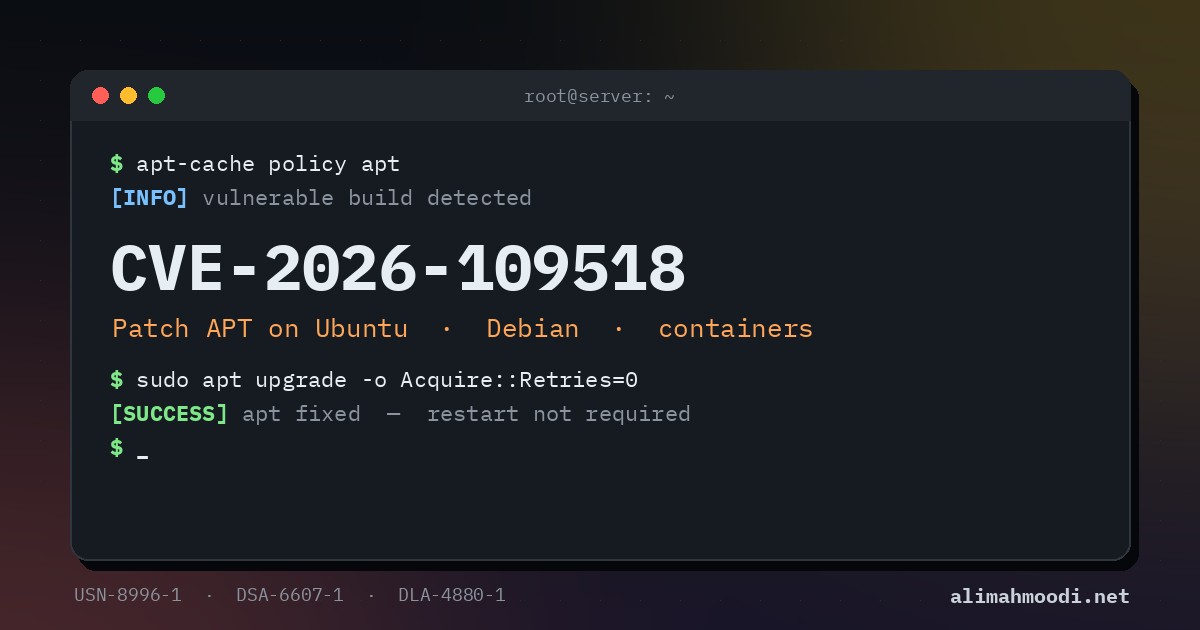
On 4 November 2026, Canonical and Debian published security updates for CVE-2026-109518, a High-severity flaw in APT — the package manager used by Ubuntu, Debian and many derivative distributions. The vulnerability was discovered by researcher Max Justicz. Ubuntu rates it High with a CVSS 4.0 score of 7.7. In short, an on-path attacker who can manipulate HTTP traffic between an APT client and an archive server can trick the client into installing an unverified .deb package. Maintainer scripts inside that package then run with root privileges.
Ubuntu 22.04 LTS and later, and Debian 12 (Bookworm) and later, are affected in their default configuration. The reason is APT’s Acquire::Retries setting: it defaults to 3 on those releases, and the bug requires a non-zero retry value plus HTTP redirects and a resumed download. Older releases are not exposed by default, but they become vulnerable if an administrator or a script has turned retries on. This article explains what the advisories actually say, how to check your systems, how to apply the fix safely, and what else you should update — running hosts, container images and golden AMIs included.
What was disclosed, and when
Canonical published USN-8996-1 on 4 November 2026, with a technical walkthrough the same day on the Ubuntu blog. Debian issued DSA-6607-1 for the stable release (Trixie / Debian 13) and DLA-4880-1 for Debian 12 Bookworm LTS, both dated 4 November 2026. Amazon Web Services followed on 5 November with bulletin 2026-172-AWS, last updated on 9 November, reminding customers that self-managed Ubuntu and Debian instances — including official Ubuntu AMIs — must be patched on the host itself.
The important editorial point is this: the bug lives in the APT client library, not in a single command-line wrapper. Ubuntu states that any APT-based frontend can be involved, including apt, apt-get, aptitude and Ubuntu’s graphical software tools. Snap packages are not affected, because they use a different package system. Other transports such as FTP are also outside the scope described by Canonical. The risky path is HTTP package downloads with retries enabled.
How the vulnerability works (high level)
Debian’s advisory summarizes the issue without requiring a proof of concept: APT can merge two different package downloads after an HTTP redirect gives them the same URI. Improper file handling when resuming an HTTP download then lets a man-in-the-middle attacker replace a package after verification, which leads to arbitrary code execution as root. Canonical’s wording is consistent: APT incorrectly handled hard links when it encountered redirects and retried package downloads. A remote on-path attacker could use that behaviour to install an unverified package.
Two conditions matter in practice:
- The attacker must be on the path, or control a mirror or proxy. Ubuntu describes an on-path attacker who can manipulate HTTP traffic between the client and the archive server. A malicious package mirror can provide a similar position. This is not a “drive-by” bug that anyone on the internet can fire at a machine that is merely idle; the client has to be installing or upgrading a
.debpackage. - Retries must be enabled. The vulnerability requires the client to follow redirects and retry the download of package files. If
Acquire::Retriesis0, downloads are not retried and, according to Ubuntu, the issue cannot be exploited. That setting is non-zero by default starting with Debian 12 and Ubuntu 22.04 LTS. CSO Online, citing APT developers, reports that the non-zero default dates from APT 2.3.2, so custom configurations on older systems should be checked rather than assumed safe.
Why is a swapped package so serious? When a .deb is installed, its maintainer scripts run as root. Archive signatures are supposed to stop a network attacker from substituting a package. CVE-2026-109518 is dangerous precisely because it can trick APT into installing a package that did not pass that verification. Once the patched APT client is in place, Canonical says compromised mirrors no longer pose this particular risk. HTTPS is still useful as a defence in depth — it stops on-path tampering of HTTP traffic — but Ubuntu and AWS both stress that enabling TLS does not replace updating APT.
Which releases are affected, and which packages fix it
Use the versions below as the minimum fixed packages from the official advisories. If your installed version is lower, treat the host as vulnerable until you upgrade and confirm the new version.
Ubuntu (USN-8996-1 and the Ubuntu CVE page):
- Ubuntu 26.10 (Stonking):
apt3.3.3ubuntu0.1 - Ubuntu 26.04 LTS (Resolute):
apt3.2.1ubuntu0.1 - Ubuntu 24.04 LTS (Noble):
apt2.8.4ubuntu0.1 - Ubuntu 22.04 LTS (Jammy):
apt2.4.15ubuntu0.1 - Ubuntu 20.04 LTS (Focal):
apt2.0.12+esm1 — Ubuntu Pro / ESM - Ubuntu 18.04 LTS (Bionic):
apt1.6.19+esm1 — Ubuntu Pro / ESM - Ubuntu 16.04 LTS (Xenial):
apt1.2.36+esm1 — Ubuntu Pro with the Legacy Support add-on - Ubuntu 14.04 LTS (Trusty):
apt1.0.1ubuntu2.24+esm4 — Ubuntu Pro with the Legacy Support add-on
Debian:
- Debian 13 (Trixie, stable):
apt3.0.4 (DSA-6607-1). The unfixed stable package was 3.0.3. - Debian 12 (Bookworm, LTS):
apt2.6.2 (DLA-4880-1). The unfixed bookworm package was 2.6.1. - Newer Debian branches in the security tracker (Forky / Sid) already list later fixed versions such as 3.3.6 and 3.3.7; if you run testing or unstable, confirm the package on Debian’s APT security-tracker page before assuming you are done.
Debian’s Trixie and Bookworm updates also mention additional out-of-bounds access fixes in the same package. You do not need a separate step for those; upgrading apt from the security archive is enough.
Derivative distributions (Linux Mint, Pop!_OS, Raspberry Pi OS and others that ship APT) are in the general scope described by Ubuntu, but their package numbers may differ. Check the derivative’s own security notice rather than copying an Ubuntu version string onto a rebuilt package.
How to check a host
Canonical recommends comparing the installed APT source package with the fixed versions. On Ubuntu:
apt list --installed '?source-package(^apt$)'
apt-cache policy apt
# Confirm retry policy (a non-zero value is required for the default-exposed releases)
apt-config dump Acquire::Retries
On Debian the same apt-cache policy apt output tells you the installed version and which archive it came from. You want to see 3.0.4 from the Trixie security archive, or 2.6.2 on Bookworm, or a later fixed version on testing/unstable. Also inspect whether package sources still use http://:
# Classic one-line sources and Deb822 .sources files
grep -nH -E '^[^#]*http://' /etc/apt/sources.list /etc/apt/sources.list.d/* 2>/dev/null
A host that already uses HTTPS exclusively is in a better position against an on-path attacker, but it is not a substitute for the patched client — especially if you still have any HTTP source, a custom mirror, or a proxy in the path.
Apply the fix safely
Ubuntu’s recommended remediation temporarily sets Acquire::Retries to zero while you install the security update. That closes the retry path during the one window where you still have to use the vulnerable client to fetch its own replacement:
sudo apt update && sudo apt upgrade -o Acquire::Retries=0
If you cannot upgrade every package in the same sitting, target the APT source package only:
sudo apt update && sudo apt install -o Acquire::Retries=0 --only-upgrade '?source-package(^apt$)'
On Debian the equivalent safe upgrade is:
sudo apt-get update
sudo apt-get upgrade -o Acquire::Retries=0
# or, more narrowly:
# sudo apt-get install -o Acquire::Retries=0 --only-upgrade apt
Then confirm the installed version matches the table for your release. APT is a user-space tool: the next apt invocation uses the new binary, so there is no service comparable to sshd that you must restart. That said, long-running processes that embed the APT libraries (some graphical updaters, unattended-upgrades if a job is already in flight) should be allowed to finish and then run again with the new package.
On Ubuntu 16.04 LTS and later, unattended-upgrades is enabled by default and applies new security updates automatically about every 24 hours. That is helpful for estates, but do not wait a full day on internet-facing or build hosts if you can patch now. Also remember the bootstrap problem: the first fetch of the fixed apt package still happens with the old client, which is why Ubuntu wants Acquire::Retries=0 (and, if you are worried about the network path, HTTPS) for that step rather than leaving the unattended job to run over plain HTTP with retries.
Ubuntu 26.10, 26.04 LTS, 24.04 LTS and 22.04 LTS receive the fix under standard support. For Ubuntu 20.04 LTS and older, Canonical’s fix is published through Ubuntu Pro. Ubuntu 20.04 and 18.04 are covered by Expanded Security Maintenance (ESM); 16.04 and 14.04 need ESM with the Legacy add-on. Canonical notes that Ubuntu Pro is free for up to five machines, or up to 50 for community members. If you still run those older releases without Pro, the practical options are to enrol, or to migrate to a supported release. AWS makes the same point for Ubuntu 20.04 Neuron Deep Learning AMIs: the fix requires Ubuntu Pro, or a move to 22.04 or later.
Optional: switch official archives to HTTPS before you upgrade
If you are concerned about the network path to the Ubuntu archive — for example a shared network, an untrusted proxy, or a mirror you do not fully control — Canonical describes enabling TLS first as a mitigating measure, then installing the update. After the client is patched, Ubuntu presents TLS mainly as a future precaution; the archive signature scheme remains the stronger end-to-end integrity control. Until the patch is installed, though, HTTPS removes the HTTP-manipulation condition that this CVE needs.
Ubuntu’s published command rewrites official archive, security and ports Ubuntu hostnames from http:// to https:// in both .list and .sources files. It does not rewrite third-party or country mirrors:
sudo sed -Ei 's!http://((([a-z]+\.)?archive|security|ports)\.ubuntu\.com)!https://\1!' \
  /etc/apt/sources.list /etc/apt/sources.list.d/*.list /etc/apt/sources.list.d/*.sources
sudo apt update
Read the apt update output carefully. Ubuntu warns that some community and country-specific mirrors do not support HTTPS; if a source fails, fix that source (or temporarily use an official HTTPS archive) before you continue. For Debian, switch deb lines to https:// only for mirrors you have confirmed serve TLS, then run apt update and proceed with the Acquire::Retries=0 upgrade.
Containers, images, CI and cloud fleets
Patching a running server is not enough if the next deployment recreates it from an old image. AWS states this clearly: customers using Ubuntu or Debian in container images should rebuild those images with the fixed APT package and redeploy the containers. The same logic applies to Dockerfiles, Packer or Image Builder golden images, Kubernetes node images, CI runners and local development containers. Restarting an old container does not change the apt binary baked into its layers.
On IaaS, a later “refreshed AMI” does not remediate a host you already launched. AWS’s bulletin says you should run the update command on existing instances, including Ubuntu 22.04 AMIs vended by AWS, and that a change to a future refreshed-image date does not alter the exposure of those running hosts. Estimated refresh dates in that bulletin (for example Deep Learning AMIs around 13 November 2026, ParallelCluster 3.16.3 around 16 November 2026) are operational guidance from AWS, not a reason to delay the on-host upgrade.
For auto-scaling or cluster nodes that will start later, bake the fixed package into the image, or run an equivalent first-boot command such as AWS’s suggested ParallelCluster OnNodeStart action: apt-get -o Acquire::Retries=0 update && apt-get -o Acquire::Retries=0 install --only-upgrade apt. That hook does not fix nodes that are already running. If you build a custom AMI, confirm the installed apt version in the finished image before you trust it.
Inventory matters as much as the command. Search for Ubuntu 22.04+ and Debian 12+ across VPS providers, lab machines, build agents, Raspberry Pi devices, LXC/LXD guests and “temporary” jump hosts. A single forgotten HTTP-only build runner can still be a path to a compromised package during apt upgrade.
After you patch
Re-check the version and, if you changed sources, that apt update still succeeds:
apt-cache policy apt
apt-config dump Acquire::Retries
sudo apt update
You can leave Acquire::Retries at its usual default again after the patched client is installed; the zero value was a temporary mitigation for the upgrade itself. Keeping official archives on HTTPS is still good hygiene, but it is not the complete fix and it is not available on every third-party mirror.
There is no public, universal indicator of past exploitation comparable to a single log line for every environment. Focus on preventive patching, tightening package sources, and making sure new images are built from the fixed package. If you have reasons to distrust a particular upgrade session — an unexpected proxy, a failed verification that was retried, or a mirror you do not control — investigate that host’s recent package changes and treat it according to your incident process. Do not assume a later vendor AMI refresh “backfills” a clean state onto an already-running machine.
Bottom line
CVE-2026-109518 is a high-impact bug in a tool that almost every Debian and Ubuntu administrator runs with root privileges. The attack is not free: it needs an on-path position or a malicious mirror, HTTP, redirects and retries, and a package install or upgrade. Those conditions are common enough on production networks that the official advice is to patch now. The safe sequence is: confirm the exact apt version → optionally move official archives to HTTPS → upgrade with Acquire::Retries=0 → verify the fixed package → rebuild containers and golden images, and do not wait for a refreshed AMI to fix hosts that are already running.
Primary sources: Canonical USN-8996-1 and the 4 November 2026 Ubuntu blog post, the Ubuntu CVE page for CVE-2026-109518, Debian DSA-6607-1 and DLA-4880-1, and AWS security bulletin 2026-172-AWS.

Comments
Loading comments...