10 Practical Hugging Face Models for Local AI: Features, GPU Recommendations, and Ollama Guide
A practical guide to 10 well-known Hugging Face models for local inference, including Llama, Qwen, DeepSeek, Gemma, Phi, Granite, and Aya, with GPU sweet spots, VRAM and quantization notes, official model links, and quick-start instructions for Ollama, LM Studio, and llama.cpp.
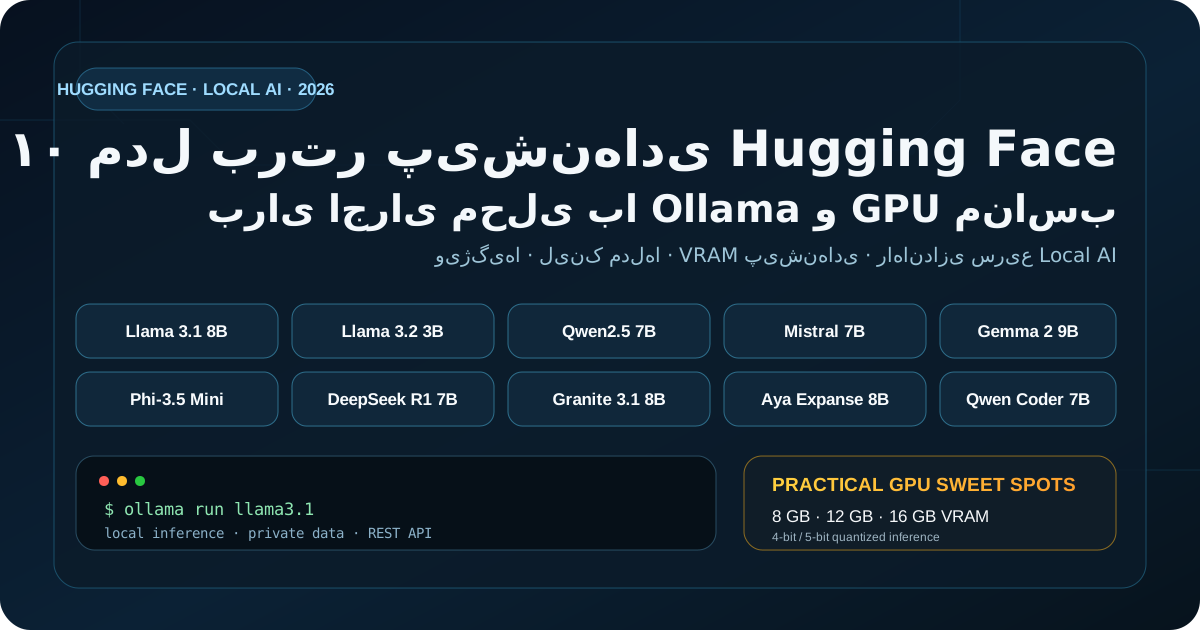
Introduction: “Best model” means little without hardware context
Hugging Face is one of the most important hubs for AI models, datasets, and tooling. For local inference, however, the model with the highest benchmark score is not automatically the best choice. Hardware, language coverage, context length, runtime support, licensing, and the actual workload all matter.
This guide covers 10 well-known, practical models for local AI. “Top 10” is not an absolute benchmark ranking; it is a curated set selected for ecosystem maturity, local-runtime availability, use-case diversity, and educational value.
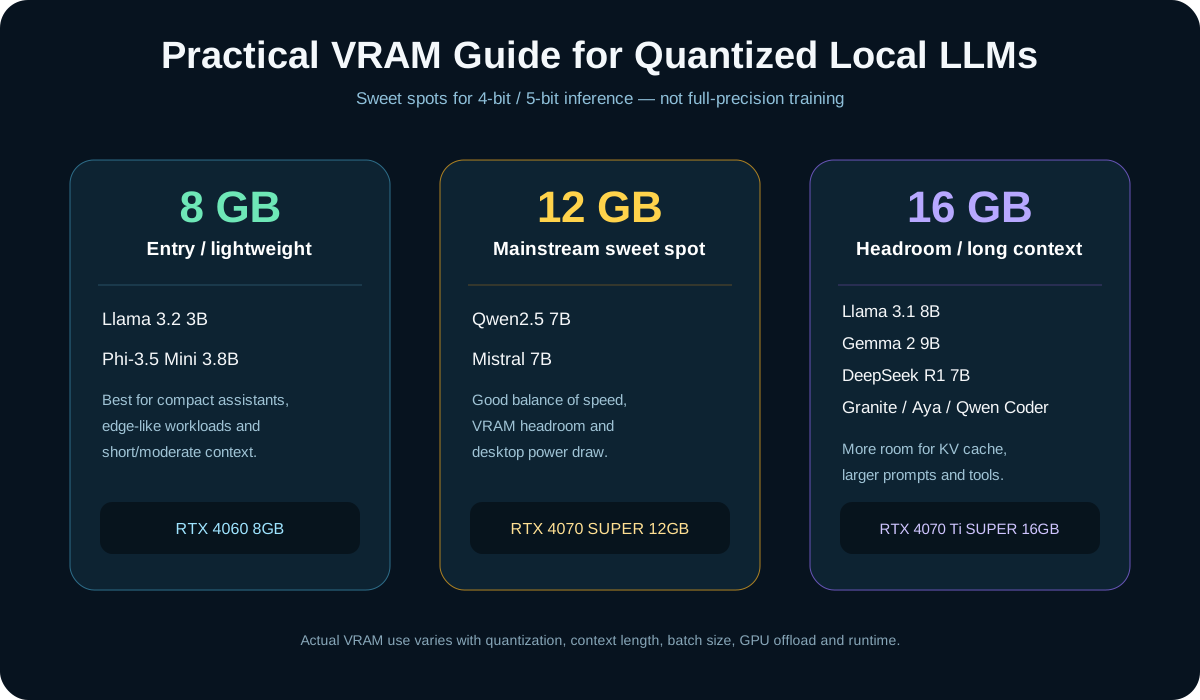
GPU recommendation basis: the hardware guidance below assumes inference with 4-bit or 5-bit quantized weights, usually GGUF or another runtime-optimized format. Full FP16/BF16 inference, fine-tuning, and training can require dramatically more VRAM. Context length, batch size, KV cache, and GPU offload also change memory requirements.
Quick comparison
| Model | Primary strength | Practical GPU sweet spot | Ollama |
|---|---|---|---|
| Llama 3.1 8B Instruct | General purpose, tools, long context | RTX 4070 Ti SUPER 16GB | ollama run llama3.1:8b |
| Llama 3.2 3B Instruct | Lightweight and fast | RTX 4060 8GB | ollama run llama3.2:3b |
| Qwen2.5 7B Instruct | Multilingual general assistant | RTX 4070 SUPER 12GB | ollama run qwen2.5:7b |
| Mistral 7B Instruct v0.3 | Fast, mature, function calling | RTX 4070 SUPER 12GB | ollama run mistral:7b |
| Gemma 2 9B IT | Strong instruction following | RTX 4080 SUPER 16GB | ollama run gemma2:9b |
| Phi-3.5 Mini Instruct | Compact 3.8B model, long context | RTX 4060 8GB | ollama run phi3.5 |
| DeepSeek-R1-Distill-Qwen-7B | Reasoning and analysis | RTX 4070 Ti SUPER 16GB | ollama run deepseek-r1:7b |
| Granite 3.1 8B Instruct | RAG, tools, enterprise workflows | RTX 4070 Ti SUPER 16GB | ollama run granite3.1-dense:8b |
| Aya Expanse 8B | Strong multilingual coverage, including Persian | RTX 4070 Ti SUPER 16GB | ollama run aya-expanse:8b |
| Qwen2.5-Coder 7B Instruct | Code generation and repair | RTX 4070 Ti SUPER 16GB | ollama run qwen2.5-coder:7b |
These cards are not minimum requirements. Quantized 7B/8B models can often run in less VRAM; 12–16GB simply provides better headroom for KV cache, longer prompts, tooling, and full GPU offload.
1. Llama 3.1 8B Instruct
Meta's Llama 3.1 8B remains a mature general-purpose local model. Its official model card documents a 128K context window for the 8B text model.
Best for: general chat, RAG, lightweight agents, summarization, and internal prototypes.
GPU sweet spot: RTX 4070 Ti SUPER 16GB.
2. Llama 3.2 3B Instruct
The 3B text model is around 3.21B parameters and offers a much smaller memory footprint while retaining the Llama ecosystem.
Best for: lightweight assistants, low-latency services, constrained desktops, and edge-like use cases.
GPU sweet spot: RTX 4060 8GB.
3. Qwen2.5 7B Instruct
Qwen2.5 7B Instruct has roughly 7.61B parameters. The official card documents a full context length up to 131,072 tokens, though a specific runtime may expose a smaller default context.
Best for: multilingual chat, structured output, general productivity, and non-English workflows.
GPU sweet spot: RTX 4070 SUPER 12GB.
4. Mistral 7B Instruct v0.3
Mistral 7B Instruct v0.3 is a mature instruction-tuned 7B model with the v3 tokenizer and function-calling support.
Best for: fast chat, lightweight tool workflows, local APIs, and educational projects.
GPU sweet spot: RTX 4070 SUPER 12GB.
5. Gemma 2 9B IT
Google's Gemma 2 9B instruction-tuned model is a strong sub-10B option, but the extra model size benefits from more VRAM than typical 7B models.
Best for: general assistance, summarization, generation, and Gemma ecosystem experiments.
GPU sweet spot: RTX 4080 SUPER 16GB.
6. Phi-3.5 Mini Instruct
Microsoft's Phi-3.5 Mini is a 3.8B dense decoder-only model with a documented 128K context window.
Best for: compact assistants, small RAG systems, document processing, and lower-budget hardware.
GPU sweet spot: RTX 4060 8GB.
7. DeepSeek-R1-Distill-Qwen-7B
This distilled reasoning model is based on Qwen2.5-Math-7B and is useful for analytical prompts, math, and reasoning experiments. Reasoning-style outputs can consume significantly more tokens than ordinary chat.
Best for: analytical reasoning, math, step-by-step problem solving, and local reasoning agents.
GPU sweet spot: RTX 4070 Ti SUPER 16GB.
8. Granite 3.1 8B Instruct
IBM Granite 3.1's dense 8B line is aimed at RAG, text extraction, QA, code-related work, and tool/function workflows. IBM documents a 128K sequence length for the Granite 3.1 dense family.
Best for: enterprise RAG, internal tools, extraction pipelines, and controlled workflows.
GPU sweet spot: RTX 4070 Ti SUPER 16GB.
9. Aya Expanse 8B
Cohere Labs' Aya Expanse 8B is a multilingual open-weight research model. Its official model card lists 23 supported languages, including Persian.
Best for: multilingual assistants, Persian experiments, translation, and cross-language evaluation.
GPU sweet spot: RTX 4070 Ti SUPER 16GB.
License note: Aya Expanse is distributed under CC-BY-NC plus Cohere Labs usage terms. Review the license carefully before commercial use.
10. Qwen2.5-Coder 7B Instruct
Qwen2.5-Coder 7B is designed for code generation, code reasoning, and code repair. Its Hugging Face card advertises up to 128K long-context support, while a packaged runtime can expose a smaller default context—for example, the current Ollama 7B package may advertise 32K.
Best for: code generation, explanation, refactoring, bug fixing, and local IDE assistants.
GPU sweet spot: RTX 4070 Ti SUPER 16GB.
Where does VRAM go?
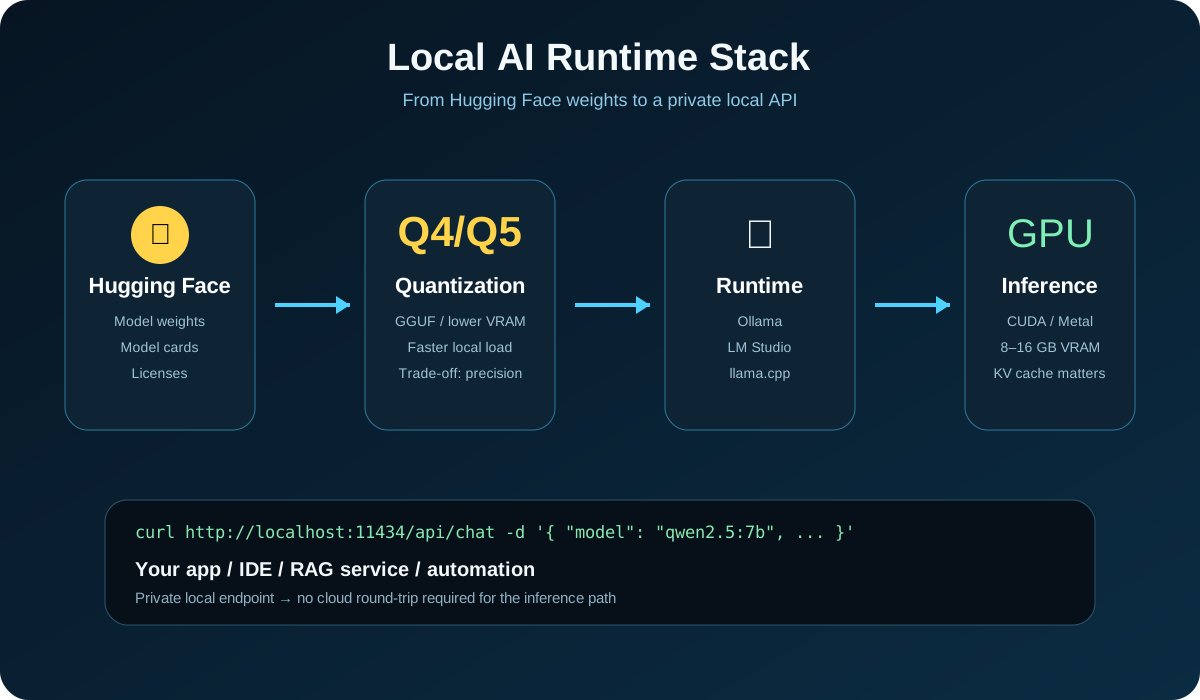
VRAM is not consumed by weights alone:
- Model weights — quantization greatly reduces their footprint.
- KV cache — longer context windows consume additional memory.
- Runtime buffers — CUDA, Metal, Ollama, llama.cpp, and other backends reserve memory.
- Concurrency and batching — multiple requests increase memory pressure.
That is why “a 7B model fits in 8GB” does not automatically mean it will provide a great 128K-context, multi-user experience in 8GB.
Quantization in one minute
For consumer hardware, GGUF quantizations are common:
- Q4: strong memory savings and a good default for most users.
- Q5: slightly more memory for a useful quality margin.
- Q8: closer to original weights but heavier.
- FP16/BF16: much larger; useful when you explicitly need higher precision and have the hardware.
Always benchmark the exact model, quantization, runtime, and workload you plan to deploy.
Quick start with Ollama
Official download:
Linux installer:
curl -fsSL https://ollama.com/install.sh | sh
Run a model:
ollama run llama3.1:8b
ollama run qwen2.5:7b
ollama run deepseek-r1:7b
ollama run qwen2.5-coder:7b
Model library:
Ollama as a local API
curl http://localhost:11434/api/chat \
  -H "Content-Type: application/json" \
  -d '{
    "model": "qwen2.5:7b",
    "messages": [
      {"role": "user", "content": "Explain three practical RAG use cases"}
    ],
    "stream": false
  }'
This makes it straightforward to connect Django, Python, Node.js, internal automation, RAG services, or local developer tools to a private inference endpoint.
LM Studio: a graphical alternative
LM Studio provides model discovery, local chat, loading controls, and a programmable API without requiring a CLI-first workflow.
llama.cpp: lower-level control
llama.cpp is one of the foundational local LLM runtimes behind the GGUF ecosystem.
Example:
llama-cli -m ./model.gguf -p "Explain vector databases in five bullet points."
NVIDIA, AMD, and Apple Silicon
NVIDIA is generally the path of least resistance on Windows/Linux because of the CUDA ecosystem. AMD support depends more heavily on the runtime and OS, so check your exact backend. Apple Silicon can provide an excellent local-AI experience through unified memory, but its memory architecture should not be compared one-to-one with discrete GPU VRAM.
Which model should you start with?
For one general model, start with Llama 3.1 8B or Qwen2.5 7B.
For lower-end hardware, try Llama 3.2 3B or Phi-3.5 Mini.
For Persian and multilingual workloads, evaluate Aya Expanse 8B and Qwen2.5 7B.
For coding, use Qwen2.5-Coder 7B.
For reasoning, test DeepSeek-R1-Distill-Qwen-7B.
For RAG, tools, and enterprise-style workflows, Granite 3.1 8B is worth evaluating.
Pre-download checklist
- Read the model license. Open weights do not always mean unrestricted commercial use.
- Check GPU VRAM, system RAM, and disk space.
- Select an appropriate quantization.
- Do not max out context length without a reason; KV cache has a cost.
- Benchmark with your actual language and data.
- For sensitive workloads, inspect prompt/log storage and telemetry behavior.
Conclusion
Local LLMs are no longer limited to multi-GPU servers. With sensible quantization, 3B–9B models can provide useful local inference on modern desktops and smaller systems.
The right choice depends on workload, language, context, VRAM, runtime, and license. Ollama is a fast way to get started, LM Studio provides a polished graphical workflow, and llama.cpp gives developers deeper runtime control.

Comments
Loading comments...